Mac + PC β€’ Coming Soon

Turn ideas into plans you can run.

A visual whiteboard that connects your sketches to real project data. Map it out, present it to the client, then send it to Plannr as tasks.

βœ“ Blocks + Connections βœ“ Presentation Mode βœ“ Form Builder βœ“ Plannr Sync

Free plan available β€’ No credit card required

Try the Demo Compare plans β†’

Demo access is by password. Email demo@borrd-app.com for a login.

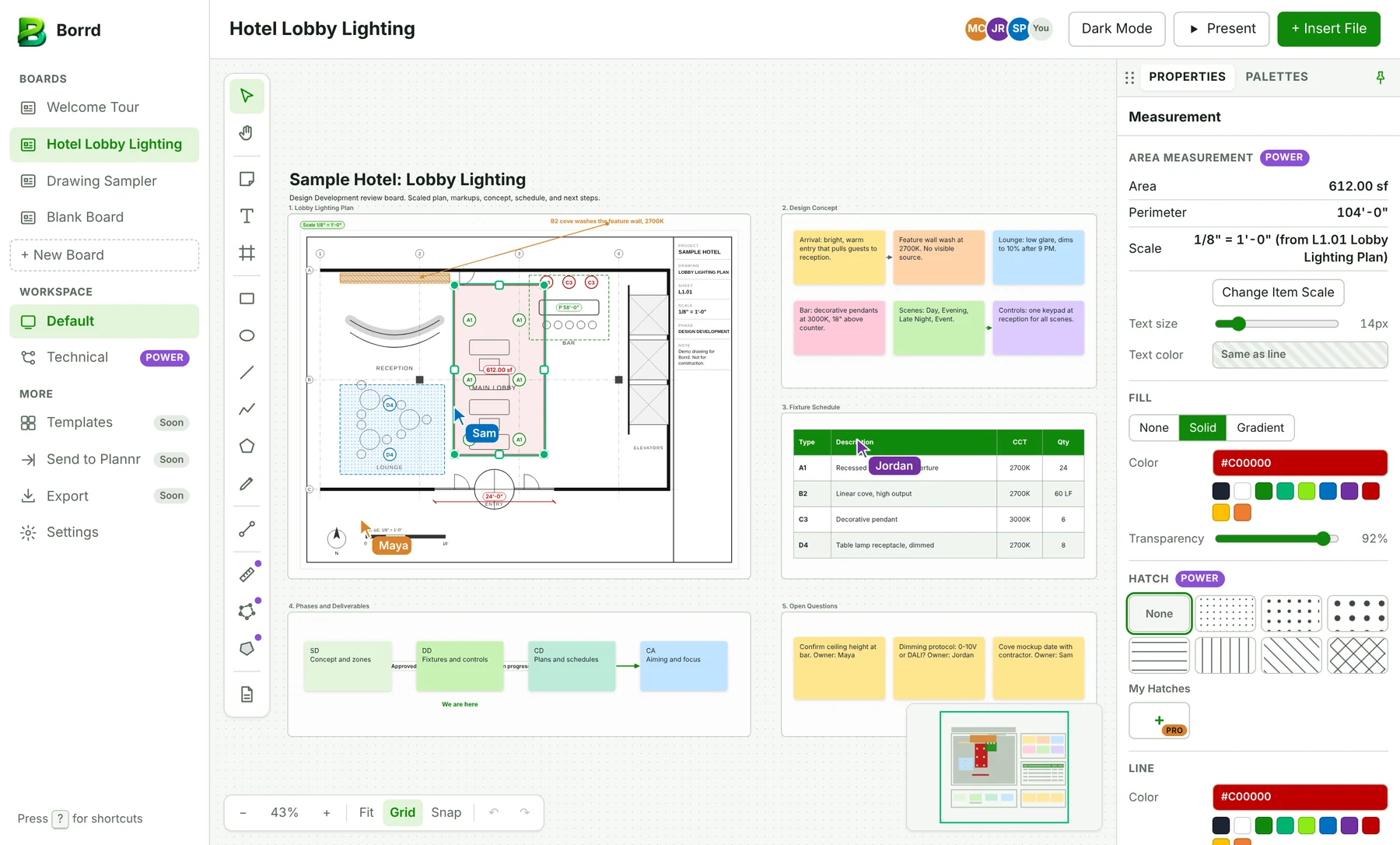
Borrd board for a hotel lobby lighting project with a scaled plan, concept notes, fixture schedule, and next steps

One board, from first sketch to client review

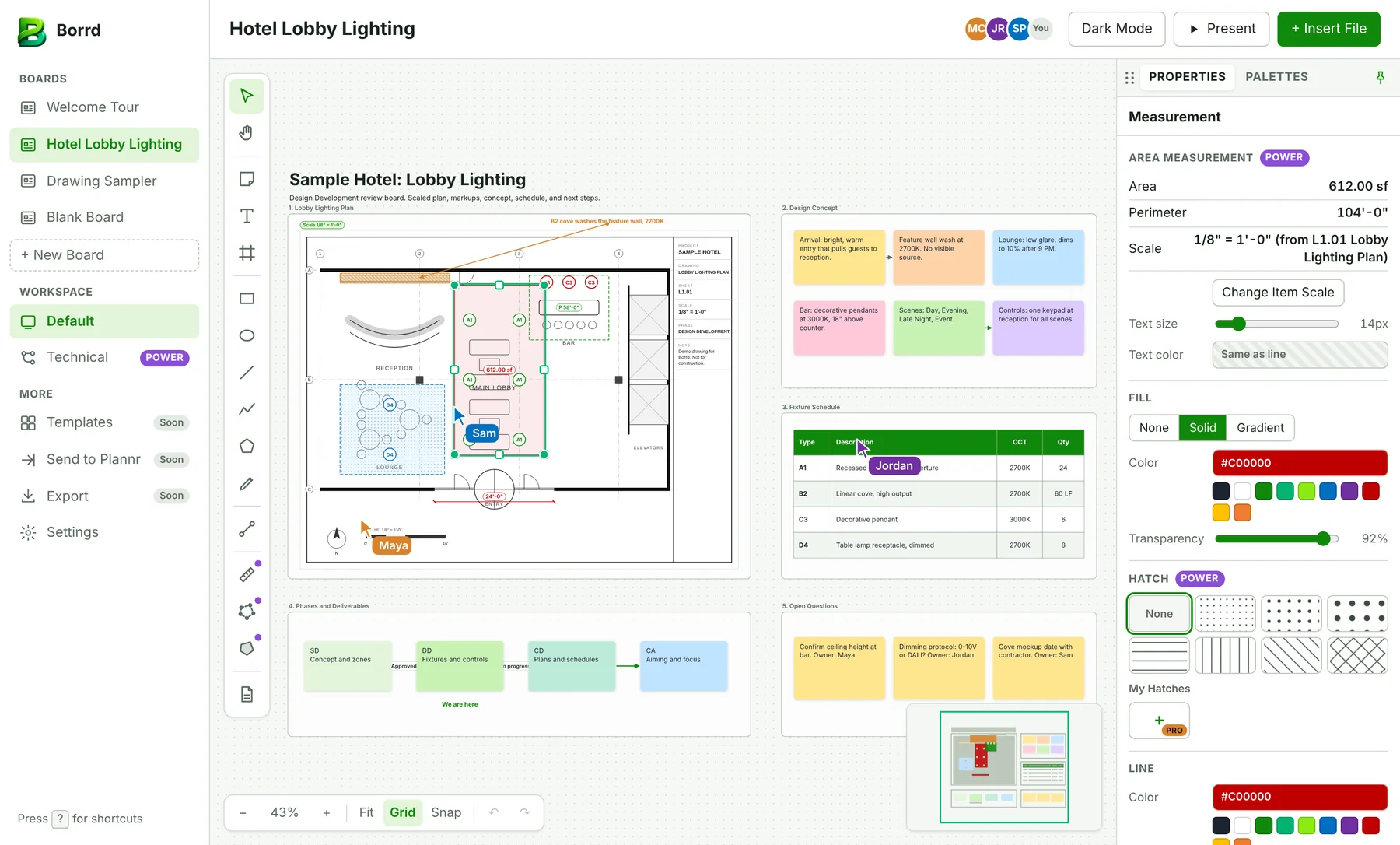
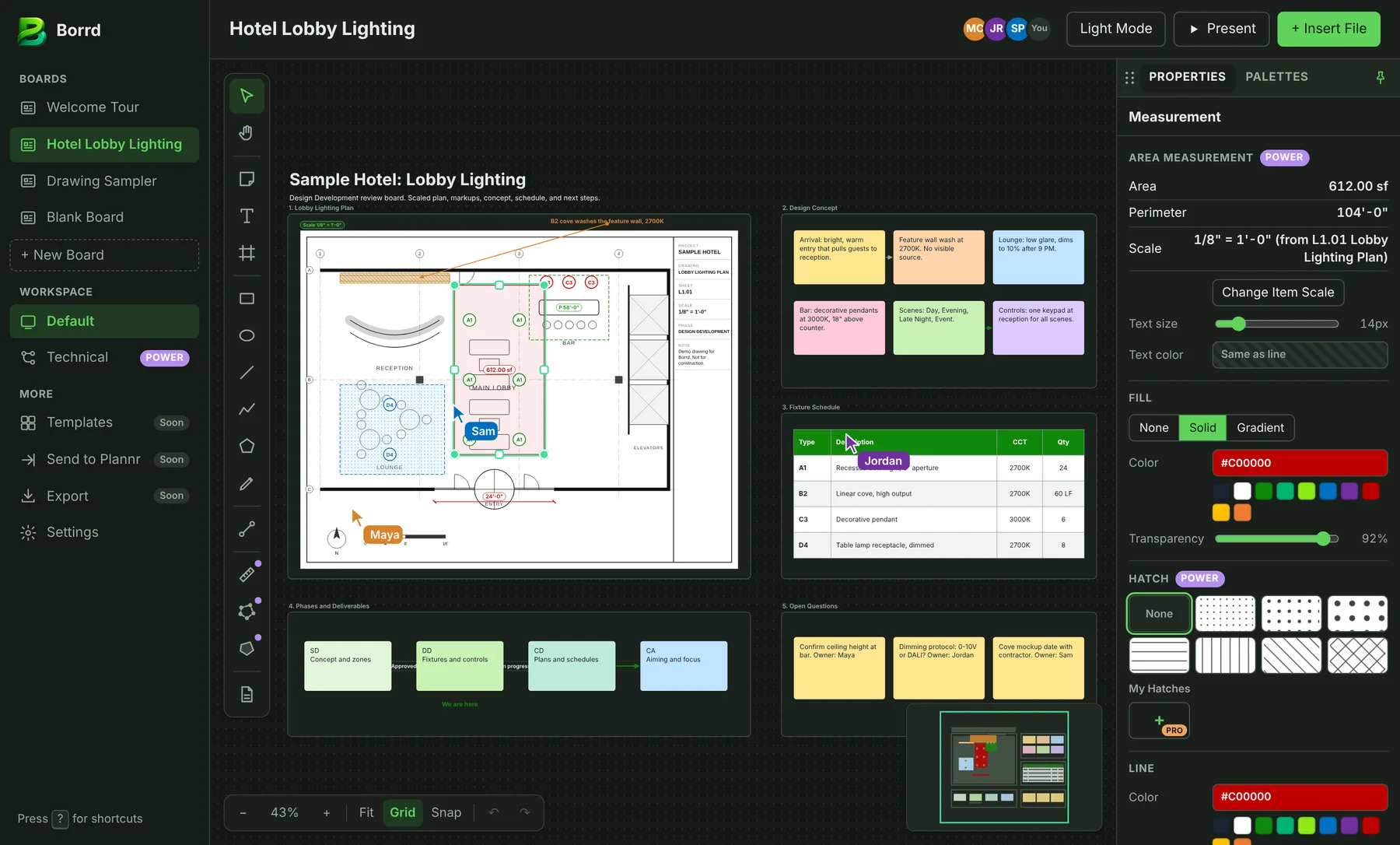
Drag the slider to compare light and dark mode. Shown with a sample lighting design project.

Hotel Lobby Lighting board with a scaled plan, concept notes, fixture schedule, and next steps, light mode
A full design development board: scaled plan, concept notes, fixture schedule, and next steps.
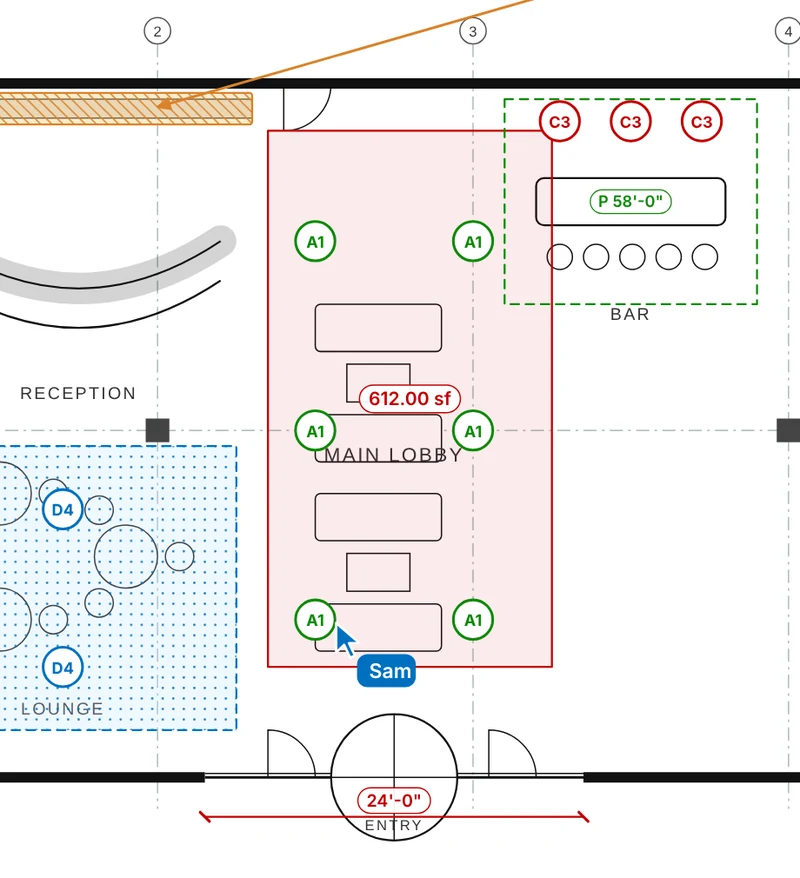
Lobby plan with A1 fixture tags, a 612 square foot measured area, and a 24 foot dimension
Scaled plans. Set a scale, then measure areas and lengths in real units. Tag fixtures right on the plan.
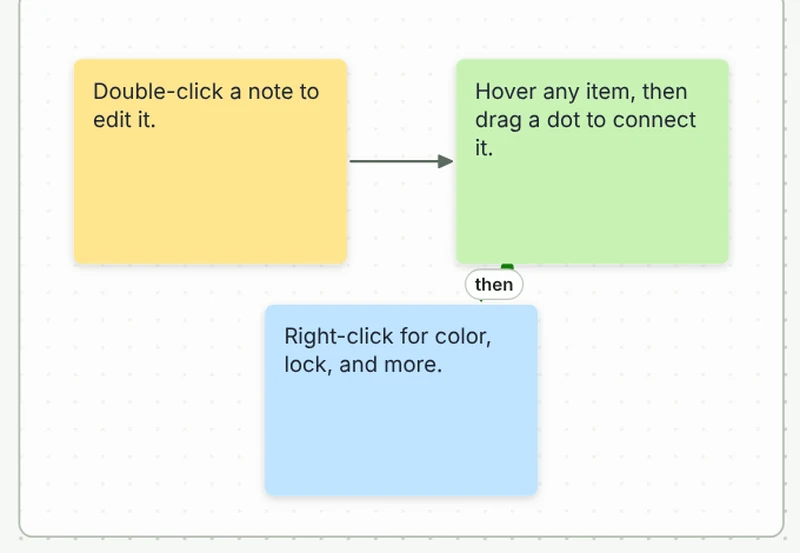
Three sticky notes linked by connection lines
Snap connections. Hover any note, drag a dot to another, and the line locks on.
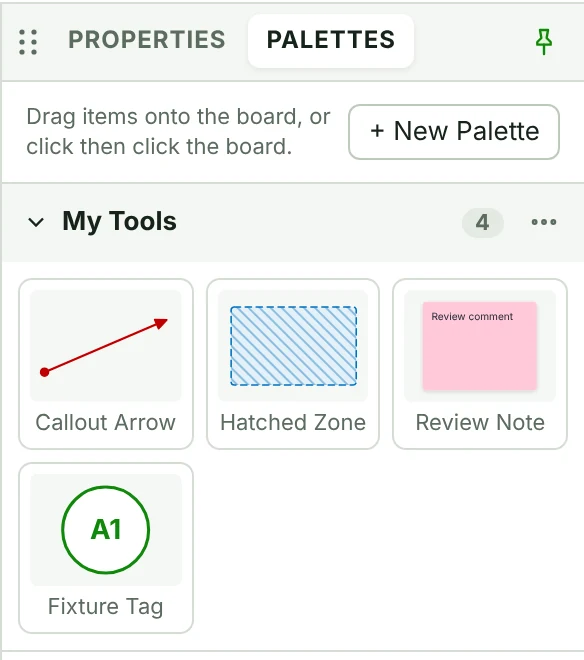
Palettes panel with saved tools: Callout Arrow, Hatched Zone, Review Note, and Fixture Tag
Your own palettes. Save callouts, hatched zones, and fixture tags. Drag them onto any board.

Sketch the plan. Skip the retyping.

Most whiteboards stop at the sticky note. Once the meeting ends, someone copies every idea into the project schedule by hand. Borrd keeps the board and the project connected, so the plan you drew is the plan you run.

πŸ“

Generic Whiteboards

Notes that never become work. No link to phases, tasks, or hours. Too cluttered to show a client.

πŸ”—

Borrd

Blocks hold real fields. Connect a note to a task and it stays linked to the project in Plannr. One click hides the tooling for a client review.

Everything you need to plan out loud

Three building blocks, two modes, and a direct line to your project schedule.

🧱

Blocks, Connections, Fields

Blocks hold your information. Connections show how it relates. Fields hold values you type in or calculate.

🎭

Default and Technical Modes

Default mode is clean and client safe. Technical mode shows ports, data types, and rules for workflow design.

🧲

Snap Connections

Lines lock onto a block's edge and slide along it as you move things. A color flash confirms every link.

πŸ—‚οΈ

Workspace Presets

Client Review, Internal Planning, and Technical Workflow. Each one sets your toolbars and panels. Save your own.

πŸ“‹

Form Builder

Design site visit forms, punch lists, or intake sheets right on the board. Save them and export them.

βœ…

Plannr Link

Turn a sticky note into a Plannr task. Drag task cards onto the board with status, owner, and due date.

A block for every kind of information

Drop any of these on the board, connect them, and fill in their fields.

Notes
Tasks
Phases
People
Documents
Forms
Timesheets
Charts
Frames
Images

Simple, transparent pricing

Start free with three boards. Add collaborators when your team needs them.

Save 20% with annual
Free
$0
Free forever

For trying Borrd on your own

  • 3 boards
  • 1 collaborator
  • Core blocks and connections
  • 1 form
Join Waitlist
Power POWER
$8/user/mo
Billed monthly

For small teams planning together

  • Unlimited boards
  • 5 collaborators
  • Templates
  • Scale, measurement, and hatch fills
  • Technical mode
  • 3 forms a month
Join Waitlist
Enterprise
Contact
Custom pricing

For large organizations

  • Everything in Pro
  • Admin controls
  • Single sign-on (SSO)
  • Priority support
  • Unlimited forms for all users
Contact Sales

Already on Plannr?

Plannr Pro includes Borrd inside Plannr. Plannr Enterprise also includes the standalone Borrd app.

Plannr plans β†’

Compare plans

Every feature, side by side.

Swipe the table sideways to see all plans β†’

Feature Free$0 Power$8/user/mo Pro$15/user/mo EnterpriseContact
Boards
Boards3UnlimitedUnlimitedUnlimited
Collaborators15UnlimitedUnlimited
Canvas, notes, shapes, lines, pen, and connectorsβœ“βœ“βœ“βœ“
Blocks, connections, and fieldsβœ“βœ“βœ“βœ“
Images on the boardβœ“βœ“βœ“βœ“
Form builder1 form3 per month10 per user per monthUnlimited
Templatesβ€“βœ“βœ“βœ“
Drawing and plans
Solid fills and line endsβœ“βœ“βœ“βœ“
Gradient fillsβ€“βœ“βœ“βœ“
Hatch fillsβ€“βœ“βœ“βœ“
Custom hatch wizardβ€“β€“βœ“βœ“
PDFs and documents on the boardβ€“βœ“βœ“βœ“
Scale and measurement (distance, perimeter, area)β€“βœ“βœ“βœ“
Palettesβ€“βœ“βœ“βœ“
Lock and unlockβ€“βœ“βœ“βœ“
Technical modeβ€“βœ“βœ“βœ“
Pro features
Presentation modeβ€“β€“βœ“βœ“
Live collaborationβ€“β€“βœ“βœ“
AI featuresβ€“β€“βœ“βœ“
Version historyβ€“β€“βœ“βœ“
Organization
Admin controlsβ€“β€“β€“βœ“
Single sign-on (SSO)β€“β€“β€“βœ“
Priority supportβ€“β€“β€“βœ“

The board and the schedule, connected

Borrd shares projects, phases, tasks, and timesheets with Plannr. Change it on the board and the schedule knows.

Learn About Plannr β†’
Plannr

Plan your week. Hit every deadline.

Project management built for architects and designers. Borrd is the visual side of Plannr, and it also runs on its own.

Frequently asked questions

Do I need Plannr to use Borrd?

No. Borrd works on its own with its own plans. If you also use Plannr, your boards link to your projects, phases, and tasks.

What platforms does Borrd support?

Borrd is coming to Mac and Windows. Join the waitlist and we will tell you when it ships.

Can I show a board to a client?

Yes. Default mode hides ports and rules so the board stays clean. Presentation mode steps through your frames one at a time.

What can I build with the form builder?

Any form your projects need, such as site visit forms, punch lists, or intake sheets. Design it on the board, save it, and export it. Every plan includes it: 1 form on Free, 3 a month on Power, 10 per user a month on Pro, and unlimited on Enterprise.

Is there a free plan?

Yes. Borrd Free gives you 3 boards and 1 collaborator with no credit card. Upgrade when you need more boards or people.

I already pay for Plannr. Do I pay again?

Plannr Pro includes Borrd inside Plannr. Plannr Enterprise also includes the standalone Borrd app. You only need a Borrd plan to use Borrd without Plannr.

Be the first to know when Borrd launches

Get early access, product updates, and a say in what we build next.

We respect your privacy. Unsubscribe anytime.